app.workboss.com
Field Service CRM
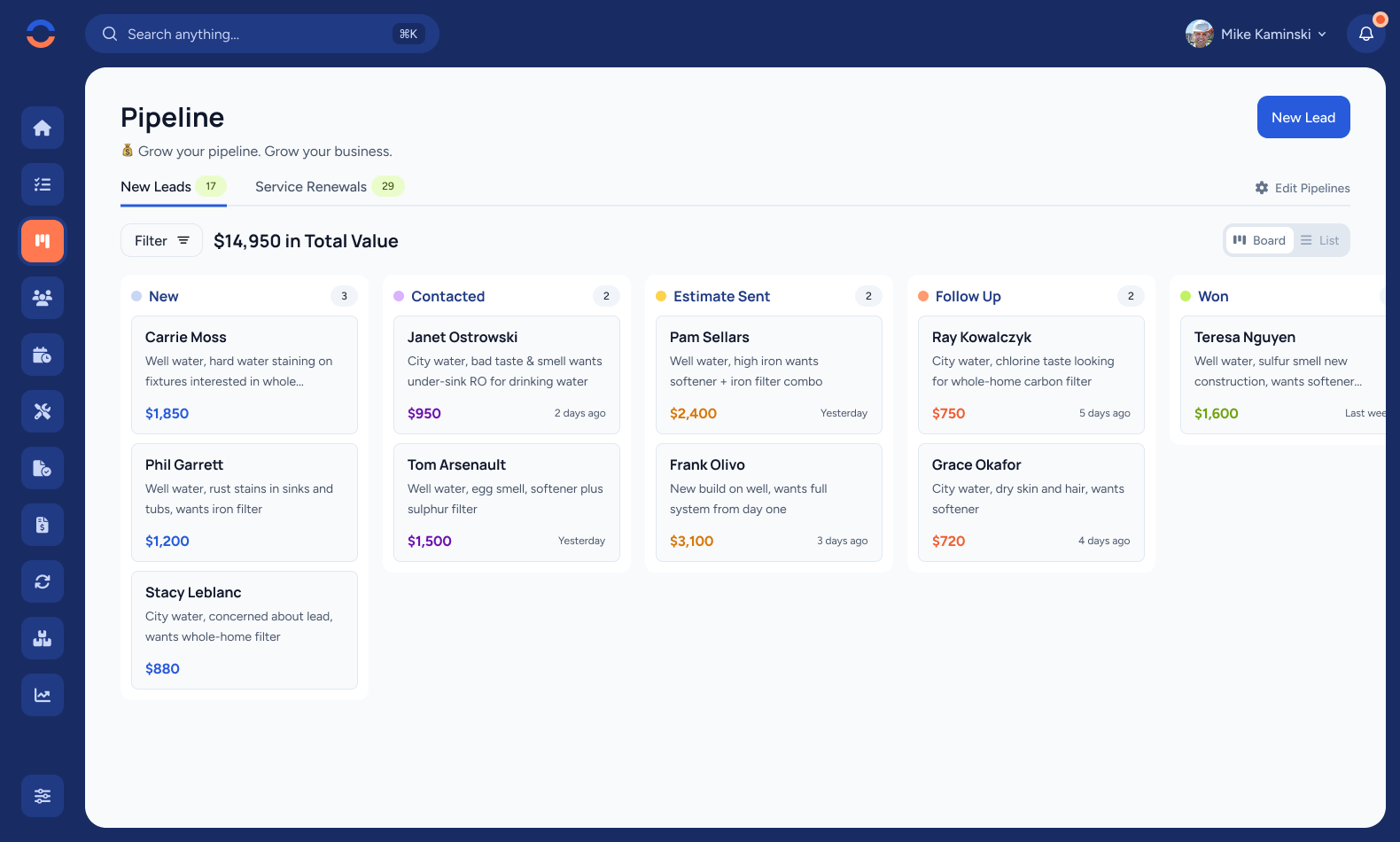
Leads don't wait while you're on a job site. WorkBoss keeps your entire pipeline visible — from first call to signed estimate — so nothing slips through the cracks.
Pipeline Management
Drag and drop leads through stages on a kanban board. See your entire pipeline at a glance — who's new, who you've contacted, and who's ready to close.
See the dollar value of every opportunity and your total pipeline worth. Know exactly how much revenue is in play so you can focus on the jobs that matter most.
Never miss a renewal. Track recurring service customers alongside new leads so repeat business never falls through the cracks. The best lead is one you already have.
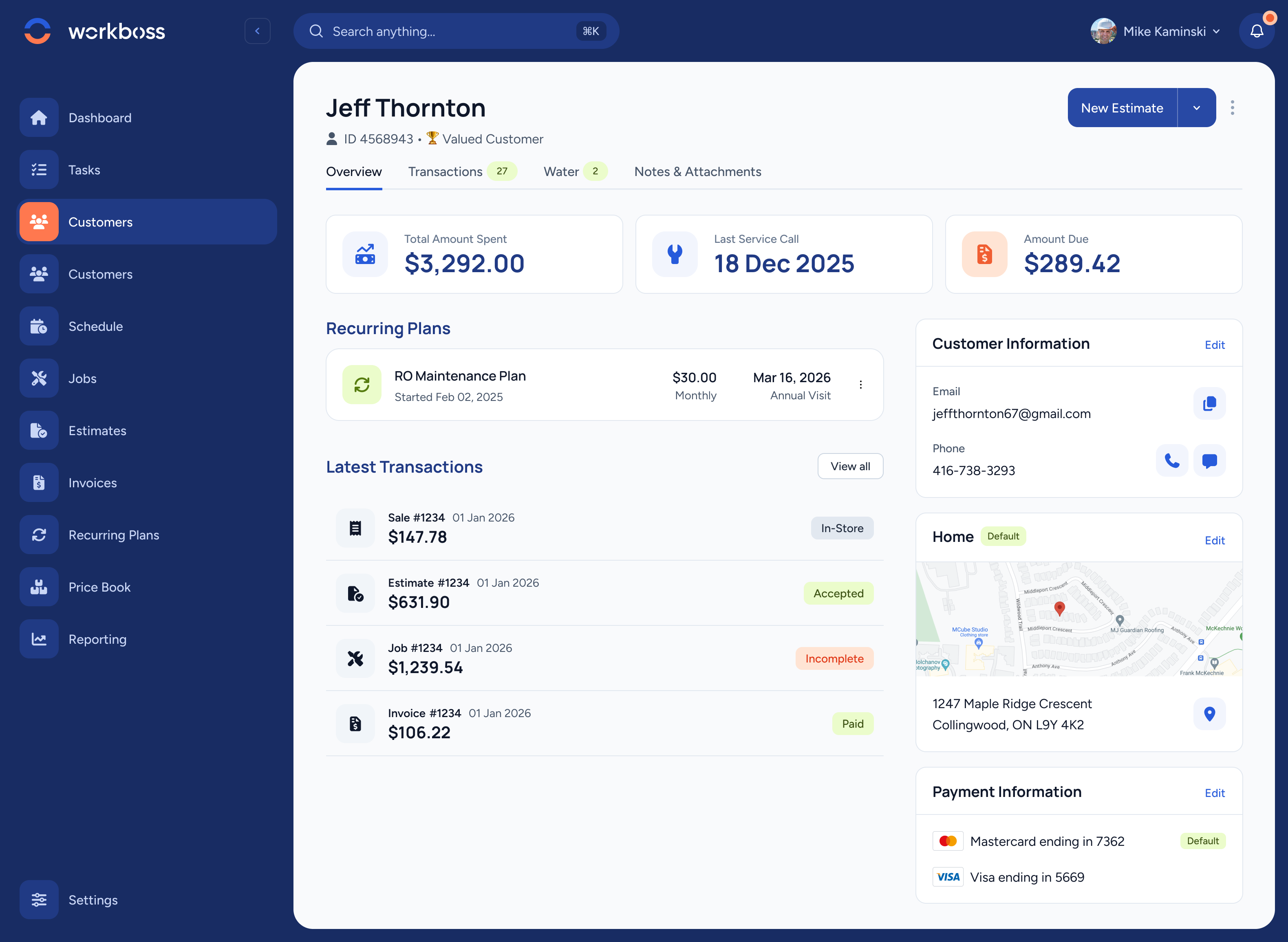
Customer Overview
Total spend, last service call, outstanding balance, recurring plans, transaction history, contact details, location, and payment info — all in one place. No digging through files or flipping between apps.
When a customer calls, you have the full picture before you even say hello.
Two Ways to Work
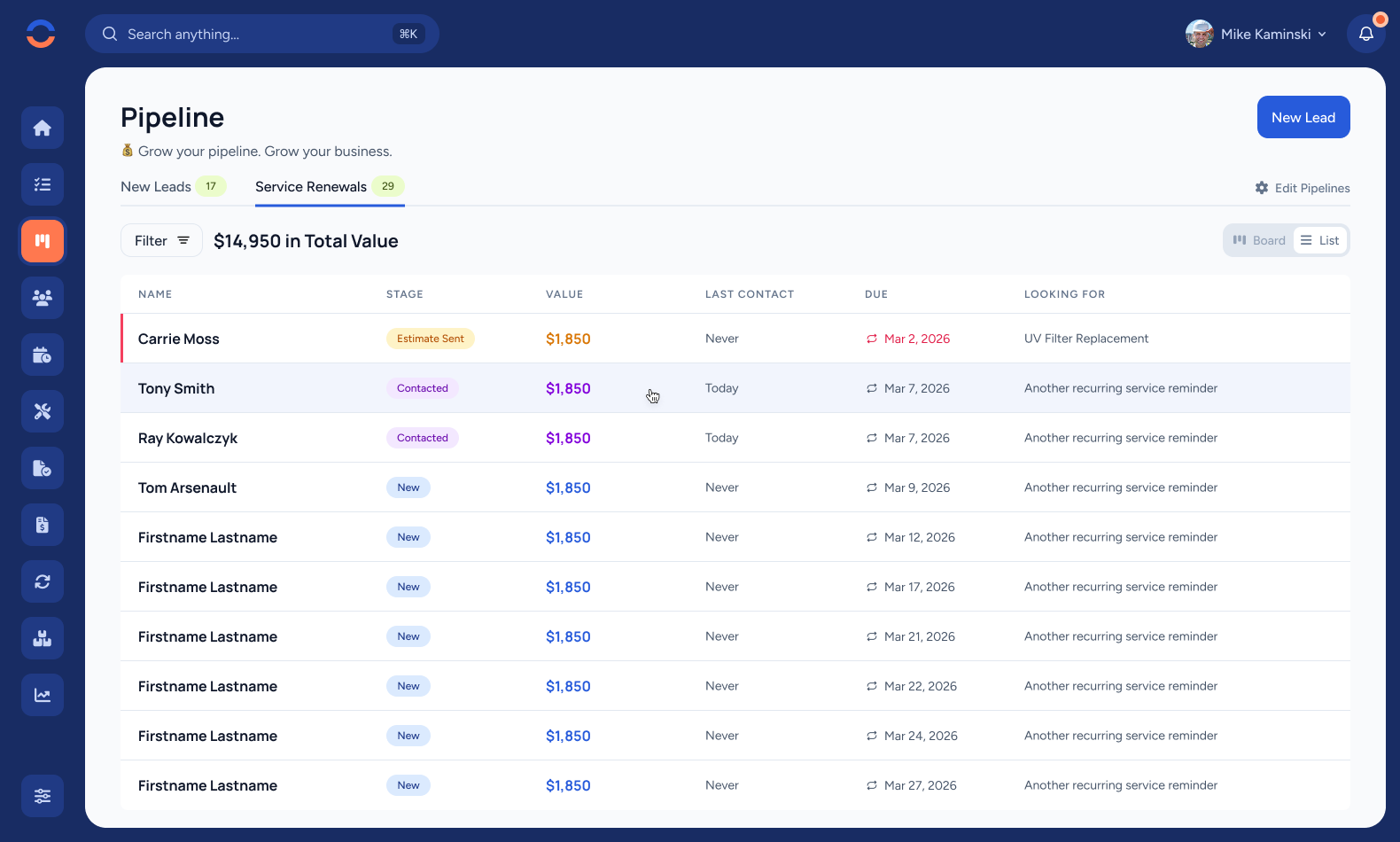
Some people think visually. Others want sortable data. WorkBoss gives you both — toggle between a drag-and-drop kanban board and a detailed list view in one click.
Filter by stage, sort by value, search by name. Find any lead in seconds, whether you have ten in the pipeline or a hundred.
How It Works
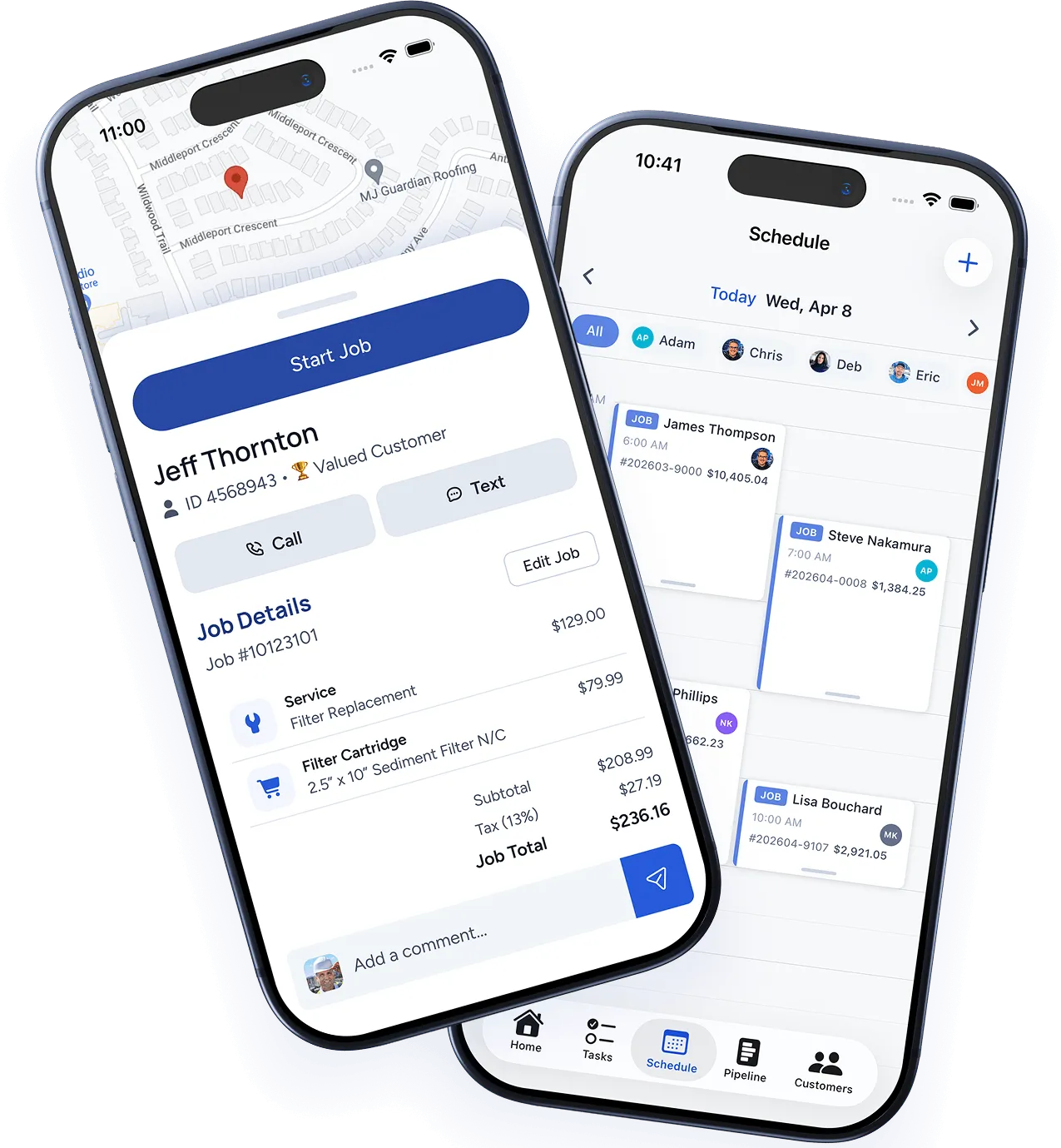
A customer calls, fills out a form, or gets referred. Add them to your pipeline in seconds — right from your phone or desktop.
Move leads through your pipeline as you contact them, send estimates, and follow up. Every stage is visible at a glance.
Know your pipeline's dollar value at all times. Filter by stage, sort by amount, and focus on the opportunities that move the needle.
When they say yes, the lead becomes a job. Customer info, notes, and history carry over automatically — no double entry.

"We used to lose two or three leads a week because nobody followed up. With WorkBoss, every lead has a stage and a next step. We've closed 40% more jobs since switching."
— Mike R., Owner, Precision Water Systems
Ready to work like a boss?
Join thousands of trade professionals who switched to WorkBoss and never looked back. Full access to every feature, no credit card required.
© 2026 WorkBoss Inc. All rights reserved.
