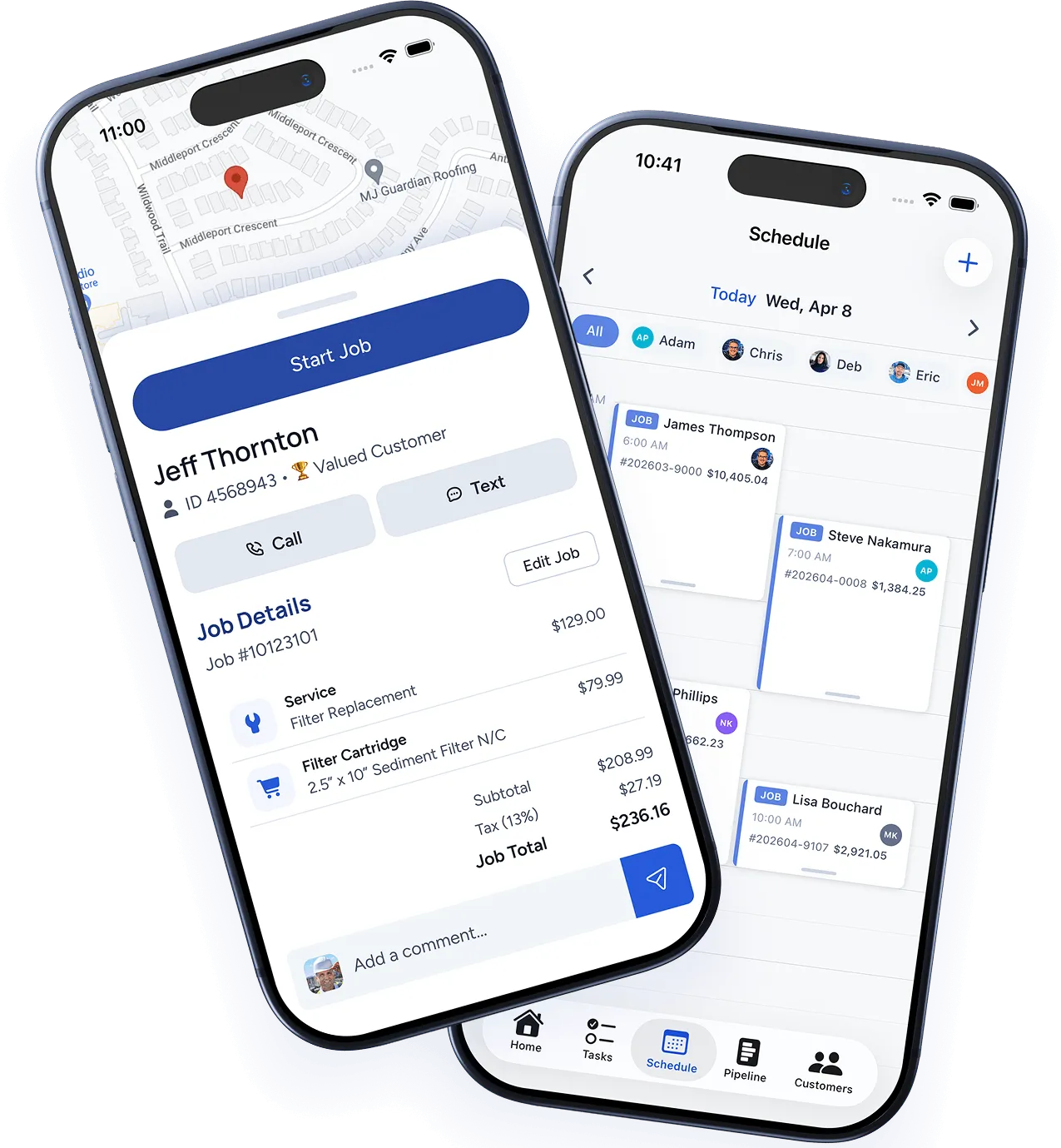

You’ve been running your business on paper invoices, a wall calendar, and a filing cabinet full of customer records. It works — sort of. You know where everything is (most of the time), your system has served you well for years, and the thought of learning new software makes you want to throw your phone in a lake.
But here’s the thing: the pain points are adding up. You can’t find that invoice from three months ago. You forgot about a follow-up call. Your tech lost a work order. And that one time you accidentally double-booked a crew? Yeah.
The transition from paper to digital doesn’t have to happen overnight, and it doesn’t have to be painful. Here’s how to do it right.
Start with the Pain, Not the Technology
Don’t pick software first. Pick the problem you want to solve first.
Sit down and list the top three things that waste your time, lose you money, or cause the most headaches. For most trade businesses, it’s some combination of:
- Invoicing and getting paid — Chasing payments, handwriting invoices, losing track of who owes what
- Scheduling — Double bookings, missed appointments, no visibility into your team’s day
- Customer records — Scattered notes, lost contact info, no history of past work
Pick the one that hurts the most. That’s where you start. Trying to digitize everything at once is the fastest way to burn out and go back to paper.
Choose Software That Fits Your Trade
The market is flooded with business software, and most of it wasn’t built for trade businesses. A CRM designed for a SaaS sales team doesn’t understand service calls, work orders, and parts inventory.
Look for software that was built specifically for field service trades. Key features to prioritize:
- Mobile-first design — If it doesn’t work on a phone in a crawl space, it’s not built for you
- Integrated invoicing — Create invoices from completed work orders without re-entering data
- Customer history — See every job, invoice, and note for a customer in one place
- Scheduling with dispatch — Drag-and-drop scheduling with route awareness
- Offline capability — Cell service isn’t guaranteed in every basement or attic
Skip the enterprise software with 200 features you’ll never use. You need something your team can learn in a day, not a month.
The 4-Week Transition Plan
Here’s a realistic timeline for going digital without disrupting your operations:
Week 1: Setup and Data Entry
- Create your account and configure basic settings (company info, tax rates, service areas)
- Enter your current customer list — start with your top 50 active customers
- Set up your service catalog with your most common job types and pricing
- Import or enter your team members and their schedules
Don’t try to enter every customer you’ve ever had. Focus on active accounts. You can add historical customers as they call back.
Week 2: Shadow Mode
- Run your new system alongside your existing paper process
- For every job, do it the old way AND enter it in the software
- This lets your team get comfortable without any risk
- Note what’s confusing or missing — this is your feedback window
Week 3: Partial Switchover
- Move invoicing to the software first (it usually delivers the fastest ROI)
- Keep scheduling on paper if your team isn’t ready
- Start using the mobile app for work orders on 2–3 jobs per day
- Have a daily 5-minute check-in with your team to address questions
Week 4: Full Commitment
- Move scheduling into the software
- Stop using paper work orders (keep a backup pad for the first week, just in case)
- Set up automated invoice reminders
- Celebrate with your team — you just modernized your business
Getting Your Team on Board
The biggest barrier to going digital isn’t the software. It’s people. Your experienced techs have done things a certain way for years, and change feels like a criticism of their competence.
Here’s how to get buy-in:
Lead with their pain. Don’t say “we’re switching to software.” Say “I found something that means you’ll never have to call the office for a customer’s address again.” Show them what’s in it for them, not for you.
Start with your most tech-comfortable team member. Let them be the pilot user and internal champion. When the rest of the team sees a peer using it successfully, adoption spreads naturally.
Accept a learning curve. The first two weeks will be slower. That’s normal. Don’t panic and revert. The efficiency gains kick in around week three and compound from there.
Don’t expect perfection. A tech who enters 80% of their data correctly is infinitely better than one using paper. You can clean up data quality over time.
What to Do with Your Paper Records
Don’t throw anything away immediately. But don’t keep the paper system running in parallel forever either.
- Active customer files: Keep physical copies for 90 days after entering them digitally. Verify the digital records are correct, then archive the paper.
- Financial records: Keep paper invoices and receipts for 7 years (tax compliance). Store them in labeled boxes by year. You won’t need to access them often, but you need to have them.
- Work orders and notes: Once entered digitally, the paper copies have no further value. Recycle after 30 days.
Measuring the Impact
Within 90 days of going digital, track these improvements:
- Average time from job completion to invoice sent — This should drop from days to hours (or minutes)
- Average days to payment — Expect a 30–50% improvement with digital invoicing and online payments
- Scheduling conflicts per month — Should approach zero
- Time spent on administrative tasks — Track how long you spend on paperwork before and after
Most trade businesses report saving 5–10 hours per week on administrative work after going digital. That’s a half-day every week that you can spend on revenue-generating work, or just getting home earlier.
It’s Easier Than You Think
The trade business owners who resist going digital the longest are usually the ones who are most surprised by how much easier it makes everything. The fear is always bigger than the reality.
Start small. Pick one problem. Solve it with software. Then move to the next one. Within a month, you’ll wonder why you didn’t do it sooner.